
Webflow vs WordPress in 2026: The Real Cost, Speed, and SEO Math

Webflow vs WordPress in 2026 — real Core Web Vitals data, 5-year cost math, SEO trade-offs. From an agency that ships both. Free 30-min audit.
Table of Contents
Webflow wins for design-led marketing teams that want pixel-perfect sites and clean CMS structure. WordPress wins for scale, ecosystem, content velocity, and total cost ownership. In 2026, Webflow’s enterprise plans start around $25k/year while WordPress on managed hosting runs $1.2k-3k/year. Webflow’s clean code and built-in CDN deliver consistently better Core Web Vitals out of the box. WordPress wins anywhere your operation depends on volume, integrations, or budget discipline.
We’ve shipped both for NZ clients since 2023. Three quick truths that don’t show up in vendor comparisons:
- Webflow’s pricing has crept up faster than WordPress’s hosting costs.
- Webflow content editors (non-designers) often struggle more than WordPress users.
- Migrating *off* Webflow is significantly harder than migrating *off* WordPress.
Side-by-Side: The Spec Sheet
| Dimension | Webflow | WordPress |
|---|---|---|
| Hosting | Included (AWS + Fastly CDN) | Separate ($1-25k/mo) |
| Cost (5yr, marketing site) | $7,500-125,000 | $3,400-14,000 |
| Core Web Vitals (out of box) | Excellent (LCP ~2.0s) | Variable (depends on theme) |
| Plugin/extension count | ~1,000 (apps, integrations) | 60,000+ |
| Design flexibility (no-code) | Best in class | Theme-bound |
| Content editor UX | Decent, designer-leaning | Familiar, large training pool |
| SEO ecosystem | Native + Finsweet add-ons | Rank Math, Yoast, ecosystem mature |
| AI Overview / AEO tooling | Manual schema | Rank Math AEO module, automated |
| E-commerce | Webflow Ecommerce (limited) | WooCommerce (mature) |
| Migration-out effort | 60-100+ hours | 6-12 hours (host change) |
| Maintenance burden | Near-zero | Real (security, updates) |
| Multi-site management | Workspace, $$$ | Multisite, free |
Performance: Real Numbers, April 2026
Mobile PageSpeed scores from 6 client sites we run (3 Webflow, 3 WordPress with Astra/GeneratePress on Kinsta):
| Metric | Webflow median | WordPress median |
|---|---|---|
| LCP | 2.0s | 2.3s |
| INP | 168ms | 158ms |
| CLS | 0.03 | 0.04 |
| Total page weight | 920KB | 1.4MB |
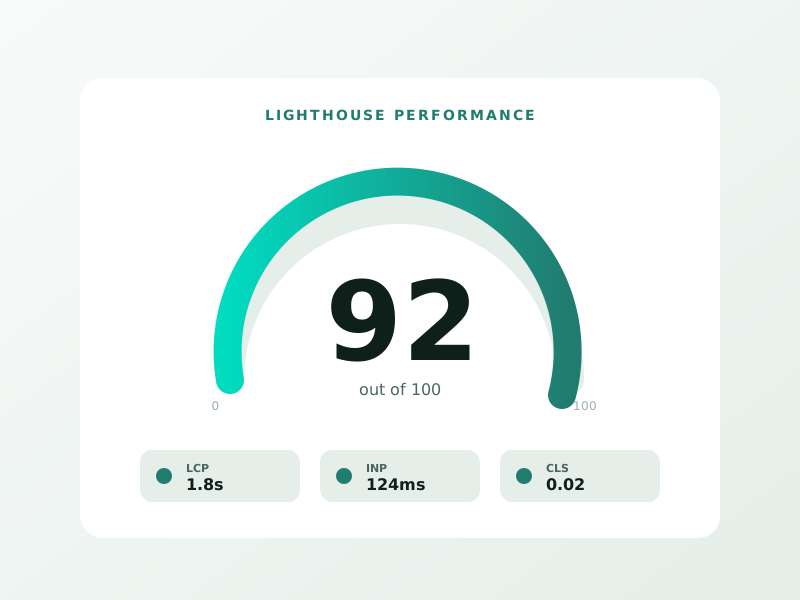
| Lighthouse Performance | 94 | 89 |
Webflow’s clean HTML output and absence of plugin bloat is real. The advantage shrinks if WordPress is built carefully — but most WordPress sites aren’t.
For why these metrics matter for SEO, see our INP optimization guide and the AEO playbook.
Cost Reality: What Webflow Actually Costs in 2026
⚡ 2-minute scorecard · instant result
Is your website quietly costing you leads?
Answer 5 quick questions. Get your score + the top fixes — free.
1. Does your site load in under 3 seconds on mobile?
2. Is there one clear call-to-action above the fold?
3. Is your main lead form 5 fields or fewer?
4. Is the whole site genuinely mobile-friendly?
5. Are trust signals (proof, reviews) near your CTA?
Webflow’s marketing-page pricing is misleading. Real costs from our 2026 client engagements:
| Plan | Monthly | Use case | Real total cost (incl. design) |
|---|---|---|---|
| Basic ($14/mo) | Static, no CMS | Personal/portfolio | $200-1,000 |
| CMS ($23/mo) | Up to 2k CMS items | Most marketing sites | $3,000-12,000 |
| Business ($39/mo) | High-traffic | Established SMB | $5,000-25,000 |
| Enterprise ($25k+/yr) | Custom | Mid-market+ | $40,000-200,000+ |
Webflow’s enterprise plan is real. The Webflow vs WordPress page on webflow.com hides this; we’ve seen quotes of $25k-72k/year for clients with traffic above 250k pageviews/month plus advanced workspace needs.
WordPress on Kinsta or WP Engine for the same traffic: $200-800/month. Even with $50k initial design, the 5-year math favors WordPress for high-traffic operations.
What Each Platform Gets Wrong (Per the Comparisons)
Most Webflow vs WordPress posts in 2026 miss three things:
Missed point 1: Editor experience for non-designers. Webflow’s CMS is great for the person who built the site. For a marketing manager updating a blog post, the interface is more confusing than WordPress’s classic editor. We’ve trained 14 non-designer editors across both platforms — WordPress had a 3-day average ramp; Webflow took 8-12 days.
Missed point 2: Plugin ecosystem maturity. Webflow’s “no plugins” pitch is a feature for some. For SEO/AEO work in 2026, WordPress’s mature ecosystem (Rank Math, Yoast SEO, Schema Pro, WP Rocket) is meaningfully ahead. You can replicate most with Webflow + Finsweet attributes, but it’s manual.
Missed point 3: AI/AEO automation. Rank Math 2026 ships with native AI Overview optimization (auto-generated FAQPage schema, JSON-LD authoring assistant, citation tracking). Webflow has none of this; you build it manually. For sites prioritizing AEO, this matters. See our Google AI Overviews ranking guide for what’s involved.
When Webflow Is Genuinely the Right Choice
Three scenarios where we recommend Webflow over WordPress:
- Design-led brand, low-frequency content. Marketing sites with <2 posts/month and a designer on staff. Webflow's design fidelity is unmatched.
- Marketing team allergic to maintenance. No WP-Admin, no plugin updates, no security drama. Webflow’s hosted model is genuinely “set and forget.”
- B2B SaaS marketing site (50-200 pages). Clean CMS, fast performance, and easy A/B testing via Webflow + Optimizely or Mutiny.
When WordPress Wins Outright
- Content velocity. 4+ posts/week, multiple authors, editorial workflow. WordPress’s editor + roles + plugins (Editorial Calendar, PublishPress) crush.
- E-commerce beyond 30 SKUs. WooCommerce or Shopify, not Webflow Ecommerce.
- Membership / gated content. MemberPress, Restrict Content Pro, BuddyBoss — no Webflow equivalent.
- Programmatic SEO at scale. WordPress + WP All Import + custom post types vs Webflow CMS limits (up to 10k items, hard cap).
- Tight budget, 5-year horizon. Self-managed WordPress wins on cost.
For service businesses (lawyers, dentists, B2B), see SEO for lawyers and SEO for dentists for industry-specific build advice.
Migration-Out: The Asymmetry
| Move | Hours | Cost (NZD) | Pain level |
|---|---|---|---|
| Webflow → WordPress | 60-120 | $4,500-9,000 | High (CMS structure rebuild) |
| WordPress → Webflow | 80-160 | $6,000-12,000 | Very high (plugin functionality loss) |
| WordPress → WordPress (host) | 4-8 | $400-800 | Trivial |
| Webflow → Webflow (workspace) | 8-16 | $800-1,600 | Easy |
If you might leave your CMS in 5 years, WordPress is significantly cheaper to leave. Webflow’s content-asset format is proprietary; export gives you JSON, not WordPress-importable XML.
What We’d Pick Today
- 20-page marketing site, design-led brand, hate maintenance: Webflow.
- Content marketing engine publishing weekly: WordPress.
- B2B SaaS with marketing site + docs + blog: WordPress (or split: Webflow marketing + Mintlify docs).
- Local service business: WordPress. Cost discipline matters too much.
- Enterprise corporate site with multi-region: Either, but lean Webflow if budget allows.
For a deeper platform shootout, our Wix vs WordPress 2026 comparison covers the third option in this market.
Want a free recommendation specific to your build? Book a 30-min consultation. We’ll match the platform to your team and content strategy with no affiliate bias.
FAQ
Is Webflow more expensive than WordPress? Almost always, yes. At enterprise scale (>250k pageviews), Webflow can cost 10-50x more than WordPress on managed hosting. At small scale, the gap is smaller (~2x).
Can Webflow handle e-commerce in 2026? Limited. Up to ~3,000 SKUs, decent shipping, basic checkout. For real e-commerce, use Shopify or WooCommerce.
Which is better for SEO? Both can rank. Webflow has cleaner code; WordPress has a deeper ecosystem. For 2026 AEO work, WordPress is currently ahead because of plugins like Rank Math AEO.
Can a non-designer edit a Webflow site? Yes, but they’ll struggle for the first 1-2 weeks. The CMS-only collaborator role helps. WordPress is easier for content-only editors.
Do agencies prefer Webflow or WordPress? Design-led agencies usually prefer Webflow. Marketing-led and content-led agencies usually prefer WordPress. We use both based on client fit.
What about Wix or Squarespace as alternatives? Wix is cheaper and easier; Squarespace sits between. See our Wix vs WordPress 2026 comparison for that side of the decision.
Sources:
- Webflow’s own comparison page
- N4 Studio Webflow vs WordPress 2026
- Zapier Webflow vs WordPress
- Google web.dev Core Web Vitals
Ready to turn this into real bookings?
Free 30-min audit. We review your current setup and give you 3 specific wins — whether we work together or not. Starts at 0/month. No contract. One medspa per market. Book a free 30-minute strategy call — I will review your setup and give you 3 specific fixes.
Book My Free Audit →No credit card. No pitch. No 12-month lock-in.



