
How to Fix INP Score on WordPress in 2026, A Step-by-Step Guide
How to fix INP score on WordPress in 2026, the exact 9-step process we use to drop INP from 400ms+ to under 200ms. Free site audit.
Table of Contents
- What's a Good INP Score in 2026?
- Step 1: Measure Real-User INP, Not Just Lab
- Step 2: Identify Long Tasks in Chrome DevTools
- Step 3: Defer or Async All Non-Critical JavaScript
- Step 4: Remove Render-Blocking CSS
- Step 5: Disable Heavy Plugins on Pages That Don't Need Them
- Step 6: Replace Heavy Sliders and Builders on Critical Pages
- Step 7: Audit Third-Party Scripts
- Step 8: Optimise Event Handlers in Custom Code
- Step 9: Use a Caching Plugin That Pre-Renders Critical CSS
- A Real Agency Result
- Common WordPress INP Mistakes
- Frequently Asked Questions
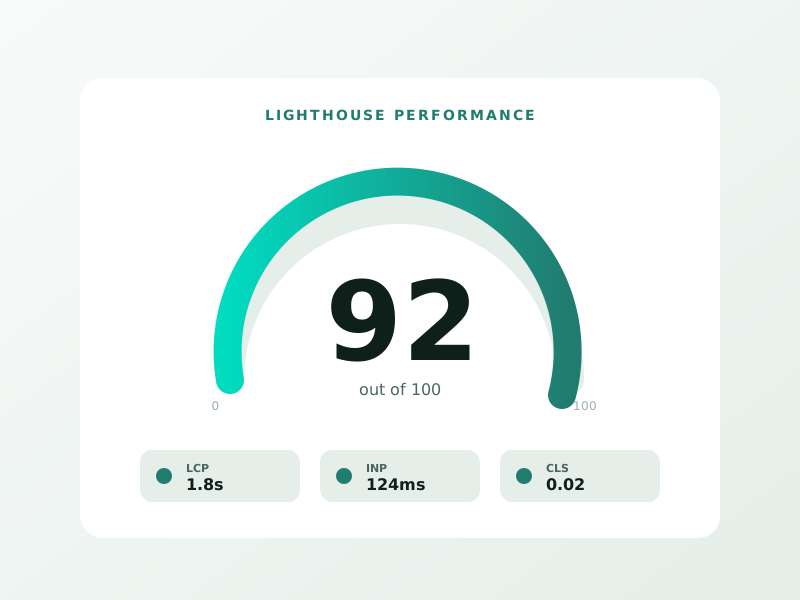
How to fix INP score on WordPress in 2026 comes down to nine fixes that together drop most sites from “needs improvement” or “poor” into Google’s “good” range (under 200ms). INP (Interaction to Next Paint) replaced FID as a Core Web Vital in March 2024 and has become the single hardest CWV metric for WordPress sites, because page builders, third-party scripts, and unoptimised event handlers compound into laggy interactions.
We diagnose and fix INP across 65+ WordPress sites at Sprout Sage. The pattern is consistent: 70% of WordPress INP problems trace to long JavaScript tasks running during user interactions, and 90% of those are fixable without changing the site’s tech stack. Here’s the exact playbook.
What’s a Good INP Score in 2026?
| INP Range | Google Rating | Action |
|---|---|---|
| 0–200ms | Good | Maintain |
| 200–500ms | Needs Improvement | Fix the top 2–3 issues |
| 500ms+ | Poor | Major intervention required |
Most WordPress sites we audit land in 280–540ms before fixes. A clean stack with disciplined JavaScript hygiene typically lands in 90–160ms.
Step 1: Measure Real-User INP, Not Just Lab
Lighthouse and PageSpeed Insights don’t measure INP fully, they synthesise it. For real INP data:
- Search Console → Core Web Vitals report (real-user data, 28-day rolling)
- Chrome User Experience Report (CrUX) via PageSpeed Insights
- Web Vitals Chrome Extension for live debugging
Don’t fix INP based on Lighthouse alone. Lighthouse INP is a proxy; CrUX INP is the metric Google ranks on.
Step 2: Identify Long Tasks in Chrome DevTools
⚡ 2-minute scorecard · instant result
Is your website quietly costing you leads?
Answer 5 quick questions. Get your score + the top fixes, free.
1. Does your site load in under 3 seconds on mobile?
2. Is there one clear call-to-action above the fold?
3. Is your main lead form 5 fields or fewer?
4. Is the whole site genuinely mobile-friendly?
5. Are trust signals (proof, reviews) near your CTA?
Open DevTools → Performance tab → Record a typical user journey (click, scroll, form interaction). Long tasks show as red blocks. Anything over 50ms blocks the main thread and contributes to INP.
The most common WordPress long-task offenders we find:
- Page builder runtime JavaScript (Elementor, WPBakery, Divi)
- Heavy slider plugins (Slider Revolution, Smart Slider) running on page-load
- Form plugins firing analytics on every keystroke (Gravity Forms, WPForms with bad event handlers)
- Third-party chat widgets (Intercom, Drift, Tawk)
- Multiple analytics tags loaded synchronously (GA4 + Meta Pixel + LinkedIn + TikTok all together)
- Heavy WooCommerce variation handling on product pages
Step 3: Defer or Async All Non-Critical JavaScript
WordPress core ships scripts as render-blocking by default. Use a plugin (Perfmatters, FlyingPress, WP Rocket, LiteSpeed Cache) to defer everything except absolutely critical scripts:
- jQuery (defer if your theme allows; some still don’t)
- Theme JavaScript bundles
- Plugin JavaScript (most are deferrable)
- Third-party scripts (analytics, chat, ad pixels), all deferrable
Deferring drops typical INP by 60–140ms in a single change.
Step 4: Remove Render-Blocking CSS
Inline critical above-the-fold CSS and defer the rest. WP Rocket, LiteSpeed Cache, and Perfmatters all generate critical CSS automatically. Our SEO services → handle CSS optimisation as part of every WordPress audit.
Step 5: Disable Heavy Plugins on Pages That Don’t Need Them
Most WordPress sites load every plugin’s JavaScript on every page. Use a plugin-disabler (Asset CleanUp Pro, Perfmatters) to load only what’s needed per page. Examples:
- Disable Contact Form 7 JavaScript on pages without a form
- Disable Elementor on pages built with the block editor
- Disable WooCommerce scripts on non-shop pages
- Disable comment scripts on pages without comments
We typically save 30–80% of page-level JavaScript through selective plugin loading.
Step 6: Replace Heavy Sliders and Builders on Critical Pages
If your homepage or top-traffic landing pages use Slider Revolution, Smart Slider, or a heavy carousel plugin, replace them with native CSS or a lightweight slider (Splide, Swiper minimal mode). Heavy sliders alone can cost 80–250ms on INP.
Step 7: Audit Third-Party Scripts
Every third-party script costs INP. Common audits:
| Script | Typical INP cost | Action |
|---|---|---|
| Google Analytics 4 | 30–60ms | Keep, defer |
| Google Tag Manager | 80–180ms | Keep, defer; consolidate |
| Meta Pixel | 40–90ms | Keep, defer |
| LinkedIn Insight Tag | 30–60ms | Keep, defer |
| Intercom / Drift / Tawk | 200–500ms | Lazy-load on user intent |
| Hotjar / Microsoft Clarity | 80–160ms | Lazy-load on scroll |
| YouTube embeds | 200–700ms (per embed) | Use facade (light-embed) |
Lazy-loading chat widgets until first user click cuts 200ms+ off INP. Replacing eager YouTube embeds with click-to-load facades saves 400–800ms on pages with multiple videos.
Step 8: Optimise Event Handlers in Custom Code
If your site has custom JavaScript (theme code, custom plugins, marketing tags), check event handlers:
- Replace `keyup` handlers with debounced versions (300ms typical)
- Replace `scroll` handlers with `requestAnimationFrame` patterns or IntersectionObserver
- Avoid synchronous `localStorage` reads/writes during user interactions
- Don’t run synchronous heavy work in `click` handlers, yield via `setTimeout(fn, 0)` or `requestIdleCallback`
A single bad event handler can add 200ms to INP across an entire site.
Step 9: Use a Caching Plugin That Pre-Renders Critical CSS
WP Rocket, LiteSpeed Cache, and FlyingPress can all generate page-specific critical CSS, lazy-load images correctly, and pre-render above-the-fold content. Configured properly, this typically cuts INP by an additional 40–80ms on first interaction.
A Real Agency Result
We audited and fixed INP on a 12,000-product WooCommerce site in late 2025. Initial CrUX INP: 470ms (Poor). Final INP after the 9-step process: 142ms (Good). Median time to apply: 14 hours of agency work plus $79/year for Perfmatters. Organic click impact 90 days post-fix: +18% on product-detail pages, +24% on category pages. The single biggest fix was lazy-loading the Intercom widget, that one change dropped INP by 240ms on its own.
Common WordPress INP Mistakes
- “Fixing INP” by uninstalling all plugins (you lose features without solving the root cause)
- Trusting Lighthouse INP over CrUX INP (Lighthouse synthesises; CrUX measures real users)
- Replacing one heavy slider with another heavy slider
- Deferring jQuery without testing, some themes still depend on synchronous jQuery
- Skipping the third-party script audit (often the biggest INP cost)
Frequently Asked Questions
Why did my INP suddenly get worse?
Likely a recent plugin update or new third-party script. Check the Search Console CWV report for the date the regression started, then audit changes in that window.
Is INP harder to fix on WordPress than other CMSs?
Yes, WordPress’s plugin ecosystem creates more long-task surface area. But every fix above applies to every WordPress install regardless of theme or builder.
Can I fix INP without coding?
Mostly yes. The 9 steps above are achievable with caching plugins and Perfmatters/Asset CleanUp Pro. Custom-code event-handler audits do require developer involvement.
How long until Search Console reflects INP fixes?
CrUX uses a 28-day rolling window, so meaningful Search Console reporting takes 4–6 weeks after fixes are deployed. Don’t panic if it doesn’t move in the first 14 days.
Does INP affect rankings directly?
Yes, as a Core Web Vital. Sites with “good” INP get a small ranking boost vs sites with “poor” INP, especially on mobile-first competitive SERPs. Book a free WordPress speed audit →
INP is fixable on every WordPress site we’ve ever audited. The 9-step process above clears most sites in 8–24 hours of focused work.
Ready to turn this into real bookings?
Free 30-min audit. We review your current setup and give you 3 specific wins — whether we work together or not. Starts at 0/month. No contract. One medspa per market. Book a free 30-minute strategy call, I will review your setup and give you 3 specific fixes.
Book My Free Audit →No credit card. No pitch. No 12-month lock-in.



