

Website Redesign Checklist: 42 Steps to Avoid a Traffic Crash
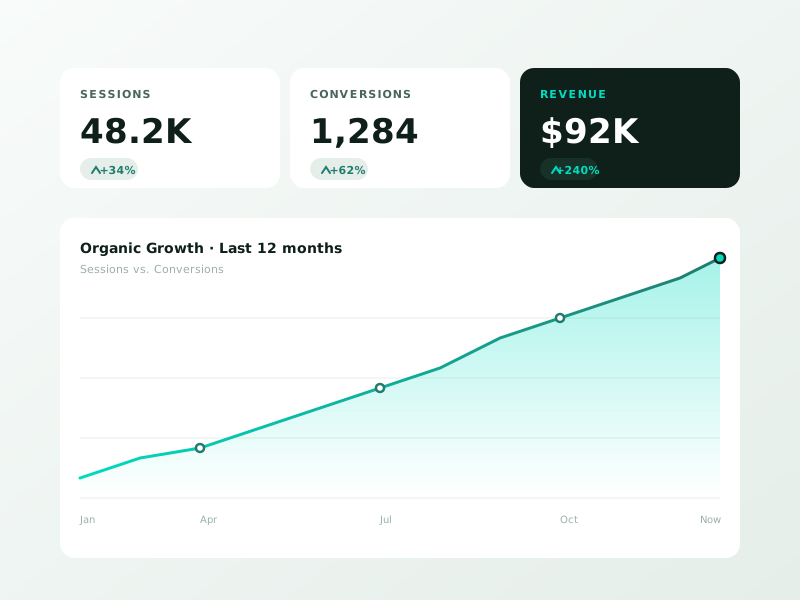
Website redesign checklist covering SEO, UX, content, and launch. Avoid the 40 percent traffic drop that hits most redesigns. Free 30-min audit.
{“@context”:”https://schema.org”,”@type”:”Article”,”headline”:”Website Redesign Checklist: 42 Steps to Avoid a Traffic Crash”,”description”:”Website redesign checklist covering SEO, UX, content, and launch. Avoid the 40 percent traffic drop that hits most redesigns. Free 30-min audit.”,”image”:”https://sproutsagesolutions.com/wp-content/uploads/2026/04/ss-4387-69ea95df26882.jpg”,”datePublished”:”2026-04-23T21:57:50+00:00″,”dateModified”:”2026-04-23T21:57:50+00:00″,”author”:{“@type”:”Organization”,”name”:”Sprout Sage Solutions”,”url”:”https://sproutsagesolutions.com”},”publisher”:{“@type”:”Organization”,”name”:”Sprout Sage Solutions”,”logo”:{“@type”:”ImageObject”,”url”:”https://sproutsagesolutions.com/wp-content/uploads/2023/09/logo-black.webp”}},”mainEntityOfPage”:{“@type”:”WebPage”,”@id”:”https://sproutsagesolutions.com/website-redesign-checklist/”}}
A website redesign checklist needs to do one thing above all: prevent the 40 percent traffic drop that hits most redesigned sites in the first 90 days. Design matters, but losing your organic rankings matters more.
We have led 60+ redesigns. Every single one that skipped the SEO prep lost traffic. Every one that followed a checklist like this held or grew it.
In this guide
Phase 1: Pre-Redesign Baseline (Week 0)
Before anyone opens Figma, capture what you have.
1. Full site crawl
Screaming Frog or Sitebulb. Export every URL, title, H1, meta, and status code. Save two copies.
2. Search Console export
16 months of query data, page-level clicks, impressions, and positions. CSV export.
3. Analytics baseline
Last 12 months of GA4: sessions, users, conversions, top landing pages, top exit pages.
4. Rank tracking snapshot
Top 50 keywords with current positions. Use a free tool or screenshot SERP positions manually.
5. Backlink inventory
Top 200 backlinks from Ahrefs free tier or Search Console Links report.
6. Current page speed
PageSpeed Insights on homepage and top 5 pages. Record LCP, INP, CLS.
Without this baseline, you cannot tell if the redesign helped or hurt.
Phase 2: Strategy and Structure

7. Define the goal
“Look better” is not a goal. “Increase demo requests by 30 percent” is. Without a measurable goal, you will optimize for the designer’s portfolio, not your business.
8. Information architecture
Map the new site structure BEFORE designing any page. Use our website cost calculator to pressure-test scope.
9. URL mapping
Spreadsheet columns: old URL, new URL, 301 redirect (Y/N), priority. Every URL getting changed needs a 301 planned.
10. Content audit
Keep what converts. Consolidate the thin. Delete the dead. Our site audit guide details the process.
11. Preserve your top pages
Top 20 pages by traffic and conversions should keep their URLs if at all possible. Change the design, not the URL.
Phase 3: Design
⚡ 2-minute scorecard · instant result
Is your website quietly costing you leads?
Answer 5 quick questions. Get your score + the top fixes, free.
1. Does your site load in under 3 seconds on mobile?
2. Is there one clear call-to-action above the fold?
3. Is your main lead form 5 fields or fewer?
4. Is the whole site genuinely mobile-friendly?
5. Are trust signals (proof, reviews) near your CTA?
12. Mobile-first wireframes
Design for 375px width first, not 1440px. Read our mobile-first design principles guide.
13. Core Web Vitals budget
Set budgets before building: LCP under 2.5s, INP under 200ms, CLS under 0.1. Our website speed optimization post covers how to hit these.
14. Brand consistency
Colors, fonts, voice. Document in a 1-page style guide before any page design begins.
15. Accessibility
WCAG 2.2 AA contrast ratios, focus states, keyboard navigation. Non-negotiable.
16. CTAs and conversion points
Every page needs a purpose. What does the user do next?
Phase 4: Development and SEO Prep
17. Staging environment with noindex
Never let Google index your staging site. Either password-protect it or noindex every page.
18. Preserve title tags and meta descriptions
Unless you are rewriting for clear improvement, keep them. They took years to earn their CTR.
19. Preserve heading structure
One H1 per page, matching search intent.
20. 301 redirect map ready to deploy
Not “we will figure it out after launch.” Ready to push on launch day.
21. Schema markup planned
LocalBusiness, Organization, Article, Product, FAQ, as applicable.
22. XML sitemap generated
Submit to Search Console on launch day.
23. Robots.txt reviewed
Remove any stray Disallow that blocks the whole site.
24. Canonical tags
Every page needs a self-referencing canonical.
25. Internal linking preserved
Rebuild your hub-and-spoke structure in the new site.
Phase 5: Pre-Launch QA

26. Crawl the staging site
Check for 404s, redirect chains, missing titles. Fix before launch.
27. Test all forms
Every form. Submit a test. Check the inbox and the CRM.
28. Test on real devices
iPhone SE, iPhone 15, Android mid-range, iPad, Windows laptop. Not just Chrome DevTools.
29. Run the speed test
PageSpeed Insights on 10 pages. Fix any failing before launch.
30. Accessibility audit
WAVE browser extension or axe DevTools. Fix critical issues.
31. Analytics installed and tested
GA4 firing, events working, conversions tracked, consent mode active.
32. Search Console property verified
For the new domain or protocol if applicable.
Phase 6: Launch
33. Pick a low-traffic day
Tuesday or Wednesday morning, not Friday afternoon.
34. Deploy the 301s
Minute one. Every old URL pointing to its new home.
35. Submit the new sitemap
Search Console > Sitemaps > Submit.
36. Request indexing for top 20 pages
URL Inspection > Request Indexing, one by one.
37. Monitor errors
Search Console Coverage, server logs, and Sentry or similar.
Phase 7: Post-Launch
38. Daily checks week 1
Traffic, conversions, crawl errors, redirect chains. Fix same-day.
39. Weekly checks month 1
Rankings drift, new 404s, Core Web Vitals, conversion rate trend.
40. Compare to baseline at 30 days
Traffic should be within 10 percent of pre-launch. If down 15 percent or more, dig in.
41. Compare at 90 days
Recovery window closes here. If still down, you missed something big. Audit again.
42. Post-mortem
What worked, what did not, what to do differently next time.
Common Disasters and How to Avoid Them
- No 301 redirects: 50 percent traffic loss in 2 weeks. Deploy redirects WITH the launch.
- Changed URLs without mapping: similar outcome. Map every URL.
- Shipping the staging site to production without noindex removal: Google deindexes the whole site.
- Launching on Friday: no one to fix Saturday’s crisis.
- Ignoring Core Web Vitals: new site loads slower than old site, rankings drop.
Getting Help
Redesigns are the single riskiest project a marketing site runs. If stakes are high, get experienced help. Our website design services include SEO migration as a default deliverable, not a paid add-on.
FAQ
How long does a website redesign take? A 30-page marketing site takes 8 to 14 weeks end to end. A 200-page site with custom functionality takes 4 to 6 months. Rushing under 8 weeks almost always means skipped SEO prep or QA. The redo costs more than the extra month would have.
Do I lose rankings during a redesign? Not if the checklist is followed. Expect a 10 to 20 percent dip for 2 to 4 weeks as Google re-crawls and re-ranks, then recovery to baseline by week 8. Anything worse means 301s were missed or content/structure changed too aggressively.
Should I redesign all at once or section by section? Big sites: section by section. Small sites: all at once. Sectional rollouts reduce risk but triple the timeline. Under 50 pages, do it all in one coordinated launch with a full 301 map in place.
What is the most common redesign mistake? Changing URLs without 301 redirects. Followed by removing pages that drove organic traffic because “no one visited them from the homepage.” Organic landing pages rarely show up in the menu. Check Analytics before deleting anything.
Need a second set of eyes on your redesign plan? Book a free 30-minute consultation and we will review your redirect map and structure.
Ready to grow faster?
Free 30-minute strategy call. No pitch, just answers.
Ready to turn this into real bookings?
Free 30-min audit. We review your current setup and give you 3 specific wins — whether we work together or not. Starts at 0/month. No contract. One medspa per market.
Book My Free Audit →No credit card. No pitch. No 12-month lock-in.



