

Mobile First Design Principles: The 2026 Rulebook for SMBs
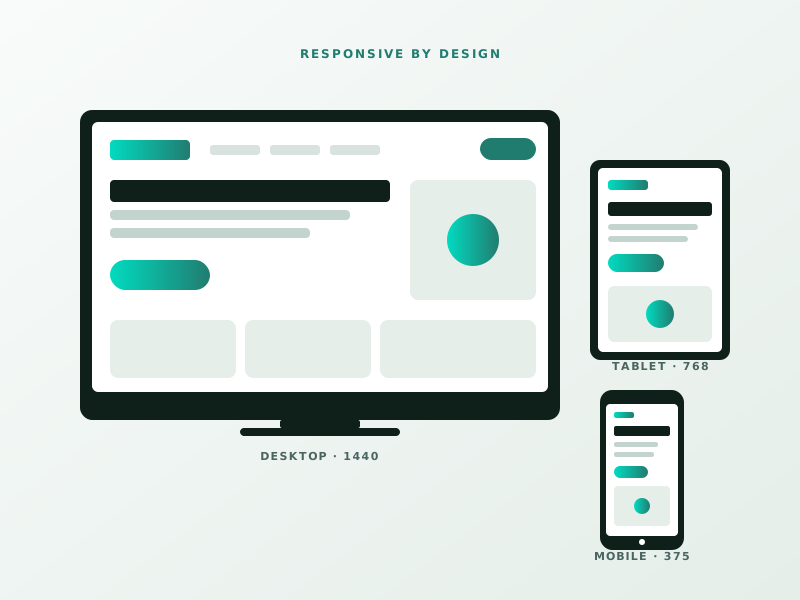
Mobile first design principles explained for SMBs. 14 rules, real examples, zero jargon. Ship mobile UX that converts. Free 30-min audit.
Mobile first design principles stopped being optional around 2018. In 2026, 62 percent of B2C web traffic and 48 percent of B2B traffic comes from phones. Yet most small business sites still start design at 1440px and squeeze down. That is why their mobile conversion rates are half their desktop rates.
This guide flips it. We design for the thumb, not the cursor.
In this guide
- What Mobile First Actually Means
- Principle 1: Content Hierarchy Is Brutal
- Principle 2: Tap Targets Need Thumb Room
- Principle 3: One Column, Always
- Principle 4: Navigation Without a Hamburger When Possible
- Principle 5: Forms Built for Thumbs
- Principle 6: Speed Is a Design Constraint
- Principle 7: Fonts That Work at 16px
- Principle 8: Contrast for Outdoor Use
- Principle 9: Stable Layout (No Jumpy Pages)
- Principle 10: Thumb-Friendly CTAs
- Principle 11: No Horizontal Scroll
- Principle 12: Progressive Disclosure
- Principle 13: Respect Data Plans
- Principle 14: Test on Real Devices
- Common Mobile Design Mistakes
- Testing Checklist Before Launch
- Mobile First and SEO
- Mobile First and Conversion
- FAQ
What Mobile First Actually Means
Mobile first is not “make sure it works on a phone.” It is “design for the phone first, then enhance for larger screens.” Starting width: 375px. Starting input: a thumb. Starting connection: spotty 4G.
If it works there, it works everywhere.
Principle 1: Content Hierarchy Is Brutal

Mobile screens show 4 to 6 content blocks before the user scrolls. If your homepage tries to convey 12 things, 8 get buried. Pick the single most important message. Lead with it.
Below the hero, order content by business value, not narrative. Service > Proof > CTA beats About > History > Services on mobile every time.
Principle 2: Tap Targets Need Thumb Room
⚡ 2-minute scorecard · instant result
How strong is your lead engine?
Answer 5 quick questions. Get your score + the top fixes, free.
1. Do you track which source every lead comes from?
2. Do you respond to new leads in under 5 minutes?
3. Do you have a CRM that catches every inquiry?
4. Do you run a follow-up / nurture sequence?
5. Is your site built to convert, not just inform?
Minimum 44×44 pixels per WCAG 2.2. We use 48×48 for comfort. Spacing between tappable elements: at least 8 pixels. Navigation links, buttons, and form fields all follow this.
If a user has to zoom to tap, you have failed.
Principle 3: One Column, Always
Multi-column layouts on mobile are visual clutter. Collapse to one column under 768px width. Even pricing tables. Especially pricing tables.
Principle 4: Navigation Without a Hamburger When Possible

Hamburger menus hide your site structure from 30 to 60 percent of users. For sites with 3 to 5 top-level pages, use a visible bottom nav or a tab bar instead. Hamburger only when you have 8+ top-level items.
Principle 5: Forms Built for Thumbs
- Single column
- Input type matches content (type=”tel” for phone, type=”email” for email)
- Auto-advance on numeric inputs
- No multi-step forms if under 5 fields
- Keyboard that matches field (numeric keypad for phone numbers)
- Desktop hero video that 404s on mobile. Fall back to an image.
- “View full site” links that defeat responsive design. Delete.
- Tap targets spaced 2 pixels apart. Fat-finger errors = rage quits.
- Modals that cannot be dismissed with a thumb. Close button at the top, unreachable.
- Scroll-jacking on mobile. It breaks momentum scroll. Users hate it.
- Every page passes mobile PageSpeed Insights “Good” (LCP, INP, CLS)
- All tap targets 44×44 minimum with 8px spacing
- All forms submit correctly on iOS Safari and Android Chrome
- All CTAs visible in the thumb-reach zone
- Text readable without zooming
- No horizontal scroll
- Navigation reachable within one tap from any page
See our form conversion optimization post for deeper field-level tactics in a related domain.
Principle 6: Speed Is a Design Constraint
Every animation, every font weight, every image adds weight. Budget it. LCP target under 2.5s on mobile.
Fancy scroll effects that kill INP performance get cut. Read our website speed optimization tips for specifics.
Principle 7: Fonts That Work at 16px
Body text: 16px minimum. Anything smaller is unreadable on a 5.5-inch screen held at arm’s length. Line height: 1.5 for body, 1.2 for headings.
Principle 8: Contrast for Outdoor Use
Assume the user is on a train, in sunlight, with glare. WCAG AA requires 4.5:1 contrast for normal text. We target 7:1 where possible. Light grey text on white fails this and looks bad in any lighting.
Principle 9: Stable Layout (No Jumpy Pages)
Cumulative Layout Shift kills user trust. Images need explicit dimensions. Ads reserve their space. Fonts use font-display: swap with matched metrics. Our CLS fix guide covers this in detail.
Principle 10: Thumb-Friendly CTAs
Place primary CTAs in the thumb-reachable zone. For right-handed users on a 6.1-inch phone, that is the bottom 40 percent of the screen. Sticky CTAs at the bottom outperform static mid-page CTAs by 2 to 4x for commerce and lead gen.
Principle 11: No Horizontal Scroll
Ever. A user swiping and hitting hidden content means your layout broke. overflow-x: hidden is a symptom, not a fix. Check the root cause (too-wide element, broken grid).
Principle 12: Progressive Disclosure
Hide non-essential detail behind accordions, tabs, or “Read more” links. Full product specs? Accordion. Detailed FAQ? Accordion. Mobile users hate 4,000-word walls of text. Desktop users tolerate them.
Principle 13: Respect Data Plans
Autoplay videos on mobile are rude. Full-page hero videos are worse. Use a poster image with a play button. Let the user opt in. Bonus: your Core Web Vitals scores will thank you.
Principle 14: Test on Real Devices
Chrome DevTools mobile emulation is not the same as a real iPhone SE from 2020 on 4G in a tunnel. Keep 3 real devices for testing: a low-end Android, a mid-range iPhone, a tablet. Test before every launch.
Use our meta tag preview tool to see how your SERP snippet looks on mobile too; it is where most clicks come from.
Common Mobile Design Mistakes
Testing Checklist Before Launch
Mobile First and SEO
Google’s mobile-first indexing means the mobile version of your site IS your site for ranking. If your mobile content is lighter than desktop, you lose rankings. Keep parity (or slightly enhanced mobile) not lesser.
Mobile First and Conversion
For lead gen sites, mobile conversion rates lag desktop by 40 to 60 percent on average. Sites that apply these 14 principles close that gap to 10 to 20 percent. The lift pays for a redesign inside 6 months.
If you are planning a redesign, our UI/UX services start every engagement with mobile wireframes. Desktop follows, not leads.
FAQ
Do I really need to design mobile first, or can I just make it responsive? Making it responsive is reactive; mobile first is proactive. Responsive design often produces mobile pages that feel like afterthoughts because they are. Mobile first forces tough content decisions early, which then improves the desktop version too. The cost is identical; the outcome is better.
What screen width should I design for first? 375px wide. That is iPhone SE, iPhone 12 mini, and a conservative floor. Designing at 375 guarantees your layout works on the smallest active phones. If you design at 414 or 428, you risk overflow issues on older devices and budget Androids.
Are hamburger menus always bad on mobile? Not always, but often. For sites with 3 to 6 top-level pages, a bottom nav or visible tab bar outperforms hamburgers in discoverability tests. Hamburgers work for complex sites (20+ pages) where no alternative fits. Default to visible navigation until complexity demands otherwise.
Does mobile first hurt the desktop experience? Only if done lazily. A good mobile-first design enhances for desktop: more whitespace, multi-column layouts, hover states, larger typography. The desktop version should feel roomier, not emptier. Agencies that just “scale up” the mobile design produce disappointing desktop experiences.
Ready to see how your site performs on real mobile devices? Book a free 30-minute consultation and we will test your top 5 pages live.
Ready to grow faster?
Free 30-minute strategy call. No pitch, just answers.
Ready to turn this into real bookings?
Free 30-min audit. We review your current setup and give you 3 specific wins — whether we work together or not. Starts at 0/month. No contract. One medspa per market.
Book My Free Audit →No credit card. No pitch. No 12-month lock-in.



