
UI/UX Audit Checklist: What Professionals Look for When Evaluating Your Site
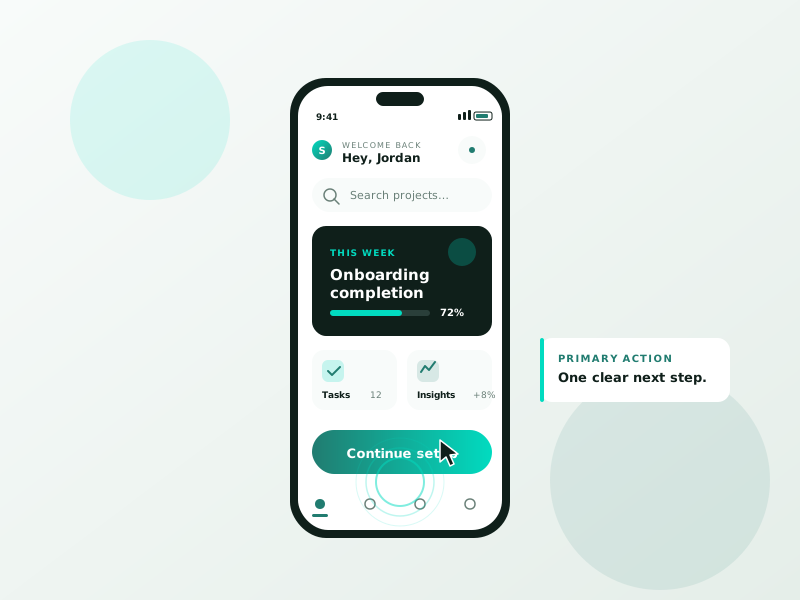
Discover the essential UI/UX audit checklist professionals use to evaluate websites. Improve design, usability, and conversions with expert-backed insights.
Table of Contents
In the world of digital experiences, a website’s design is more than aesthetics, it’s a critical business asset. A seamless user interface (UI) and an intuitive user experience (UX) can significantly boost engagement, reduce bounce rates, and ultimately convert visitors into loyal customers. However, to ensure your website performs optimally, periodic evaluations are necessary. That’s where a UI/UX audit comes in.
A professional UI/UX audit identifies usability issues, design inconsistencies, and user journey blockers to help improve overall functionality and satisfaction. This blog dives into a comprehensive UI/UX audit checklist that professionals follow to evaluate your website effectively.
Core Components of a High-Impact UI/UX Audit
1. First Impressions & Visual Design
What’s checked:
- Homepage clarity and messaging
- Visual hierarchy
- Branding consistency
- Use of white space
- Color scheme and typography alignment
Why it matters:
Users form an opinion about your website within seconds. If your homepage doesn’t clearly convey your purpose or feels cluttered, they may leave immediately. Professionals assess whether your design grabs attention while aligning with your brand identity.
2. Navigation & Site Structure
What’s checked:
- Menu placement and clarity
- Logical content structure
- Breadcrumbs and return paths
- Footer links and site map usability
Why it matters:
Efficient navigation reduces user frustration. Auditors check if menus are intuitive, whether pages are accessible within a few clicks, and if users can easily return to previous steps or explore related content.
3. Mobile Responsiveness
What’s checked:
- Mobile layout adaptability
- Touch-friendly buttons and navigation
- Font size and readability
- Loading speed on mobile devices
Why it matters:
With the majority of traffic now coming from mobile, responsive design is essential. Auditors ensure your site performs seamlessly on smartphones and tablets, maintaining the same level of functionality and aesthetic as the desktop version.
4. Accessibility Compliance
What’s checked:
- Alt text on images
- Keyboard navigation
- Color contrast and font legibility
- Screen reader compatibility
Why it matters:
Accessibility isn’t just about legal compliance, it’s about inclusivity. A UI/UX audit evaluates whether your website is usable by people with disabilities, enhancing your reach and brand reputation.
5. Page Speed & Performance
What’s checked:
- Load time on various devices and networks
- Image optimization
- Minified CSS, HTML, and JavaScript
- Lazy loading implementation
Why it matters:
Even a one-second delay in page load can lead to higher bounce rates. Professionals use tools like Google PageSpeed Insights and GTmetrix to pinpoint slow-loading elements that may be affecting user satisfaction and SEO rankings.
6. Content Readability & Engagement
What’s checked:
- Scannable content with headings and bullet points
- Font sizes and contrast for readability
- Call-to-action (CTA) clarity
- Engaging visuals and multimedia usage
Why it matters:
If content is hard to read or poorly structured, users won’t engage. Auditors assess how easily visitors can consume your content and whether CTAs are clearly prompting the desired actions.
7. Conversion Path Analysis
What’s checked:
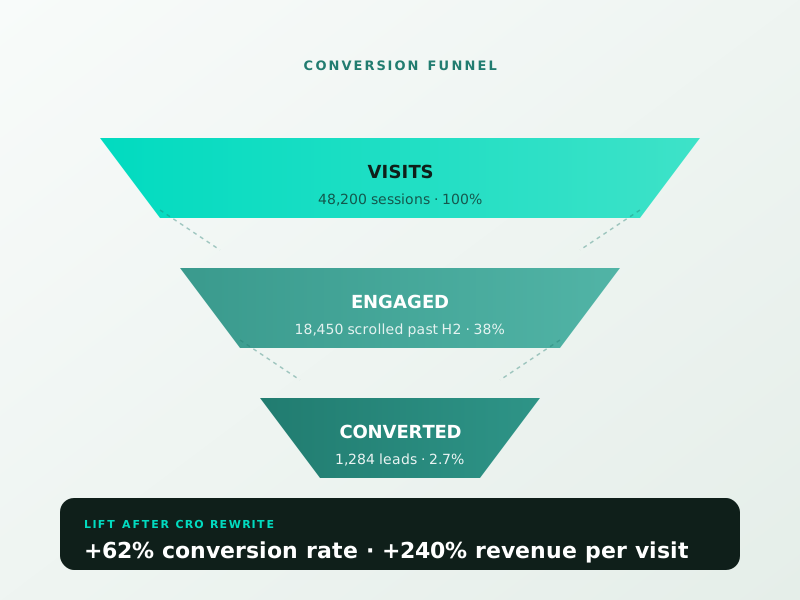
- Funnel clarity and simplicity
- CTA placements and visibility
- Form usability and field optimization
- Error messages and confirmations
Why it matters:
The ultimate goal of any website is conversion, whether that’s filling out a form, making a purchase, or signing up for a newsletter. A UI/UX audit scrutinizes every step of the conversion path to eliminate friction and boost results.
8. User Flow & Journey Mapping
What’s checked:
- Logical flow from entry point to conversion
- Drop-off points in user journey
- Internal linking strategy
- Consistency in UI elements across pages
Why it matters:
Understanding how users move through your site is key to optimizing their journey. Professionals map user behavior to identify roadblocks and refine navigation pathways for smoother transitions.
9. Error Handling & Feedback
What’s checked:
- 404 error page design and messaging
- Form validation feedback
- Loading indicators and progress bars
- Interactive states (hover, click, etc.)
Why it matters:
When users encounter errors or slow processes, how your website communicates makes a big difference. Clear, helpful error messages and interactive feedback maintain trust and guide users smoothly.
10. Analytics & User Behavior Data
What’s checked:
- Heatmaps and click tracking
- Bounce rate and time-on-site data
- Scroll depth and exit pages
- A/B test results
Why it matters:
A UI/UX audit isn’t just visual, it’s data-driven. Professionals dive into analytics tools to understand actual user behavior, then cross-reference this data with design assumptions to make evidence-based improvements.
11. Consistency in Design System
What’s checked:
- Button styles, font usage, and color palette
- Iconography and imagery alignment
- Component reuse and style guides
- UI pattern coherence across devices
Why it matters:
Inconsistent design creates confusion and makes your site look unpolished. Auditors assess your adherence to a cohesive design system, improving professionalism and user trust.
12. Microinteractions & Animations
What’s checked:
- Smooth transitions and feedback animations
- Hover and tap states
- Loading animations or progress indicators
- Scroll-triggered effects
Why it matters:
Microinteractions enhance usability and delight. Auditors ensure that animations serve a purpose, guiding users or offering feedback, without slowing down performance.
Final Thoughts
A UI/UX audit is not just a design critique, it’s a strategic investment in your digital success. Professionals meticulously analyze visual elements, technical performance, user journeys, and behavioral data to optimize every aspect of your website.
Whether you’re planning a redesign, struggling with bounce rates, or aiming to boost conversions, a comprehensive UI/UX audit provides actionable insights to align your website with user expectations and business goals.
If you haven’t evaluated your website’s user experience lately, now is the time. With this checklist, you can start identifying key areas of improvement, or better yet, partner with professional UI/UX audit services who bring both expertise and a fresh perspective.
Ready for a UI/UX audit that transforms your digital presence? Contact us today to schedule a full-site evaluation and get a roadmap to a more effective, engaging, and high-performing website.
Ready to turn this into real bookings?
Free 30-min audit. We review your current setup and give you 3 specific wins — whether we work together or not. Starts at 0/month. No contract. One medspa per market.
Book My Free Audit →No credit card. No pitch. No 12-month lock-in.
⚡ 2-minute scorecard · instant result
Is your website quietly costing you leads?
Answer 5 quick questions. Get your score + the top fixes, free.
1. Does your site load in under 3 seconds on mobile?
2. Is there one clear call-to-action above the fold?
3. Is your main lead form 5 fields or fewer?
4. Is the whole site genuinely mobile-friendly?
5. Are trust signals (proof, reviews) near your CTA?



