
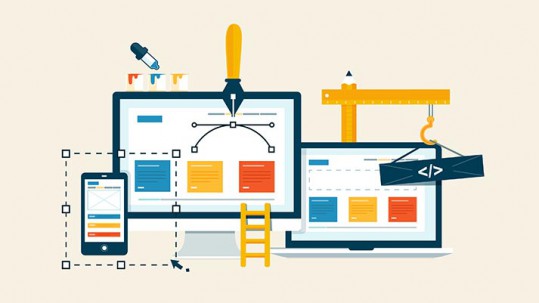
How To Launch Your Website: A Step-By-Step Guide for Beginners
Learn how to launch your website with confidence! This step-by-step guide covers everything from planning and design to testing, hosting, and going live.
Table of Contents
Launching a website is a major milestone for any business, brand, or personal project. Whether you’re starting a blog, opening an online store, or creating a digital portfolio, a successful website launch can significantly impact your visibility, credibility, and growth. But how do you go from idea to a fully live and functional website?
In this step-by-step guide, we’ll walk you through the entire process of launching your website, from planning to post-launch optimization, so you can hit “publish” with confidence.
Your Simple Roadmap to a Successful Website Launch
Step 1: Define Your Purpose and Goals
Before you dive into design or content, it’s essential to clarify why you’re launching a website and what you want to achieve. Ask yourself:
- Is it to showcase your portfolio?
- Sell products or services?
- Share blog content or news?
- Generate leads for your business?
Your answers will guide every other decision, from layout to functionality. Define your target audience and set measurable goals (e.g., increase email signups by 30% in six months).
Step 2: Choose the Right Domain Name
Your domain name is your online identity. It should be:
- Easy to spell and remember
- Relevant to your brand or business
- Ideally include your main keyword
- Short and simple (avoid hyphens and numbers)
Use domain registration services like GoDaddy, Namecheap, or Google Domains to check availability. Once you find the right domain, register it immediately to prevent others from taking it.
Step 3: Select a Reliable Hosting Provider
Web hosting is what makes your site accessible online. Choose a hosting provider that fits your needs:
- Shared Hosting: Budget-friendly, great for beginners
- VPS Hosting: More resources and better performance
- Dedicated Hosting: Full server access for large or high-traffic sites
- Managed WordPress Hosting: Optimized for WordPress users
Top providers include Bluehost, SiteGround, HostGator, and WP Engine. Look for uptime guarantees, customer support, scalability, and speed.
Step 4: Choose Your Platform or CMS
A Content Management System (CMS) makes building and updating your website much easier. Popular CMS options include:
- WordPress (the most flexible and widely used)
- Wix (drag-and-drop, beginner-friendly)
- Squarespace (great design and usability)
- Shopify (for eCommerce sites)
Your choice will depend on your technical skills, budget, and website goals. WordPress offers the most flexibility but may have a steeper learning curve.
Step 5: Plan and Design Your Website
Now comes the creative part, designing your website. If you’re using a CMS, choose a theme or template that fits your brand. Customize it with:
- Your logo and brand colors
- Clear navigation menus
- High-quality images
- Consistent fonts and layouts
Your homepage, about page, services/products page, contact page, and blog are standard essentials. Make sure your design is:
- Responsive (mobile-friendly)
- Accessible (for all users)
- User-focused (simple and easy to navigate)
If design isn’t your strong suit, consider hiring a professional designer or using a website design service to make your site visually appealing and user-friendly.
Step 6: Create Compelling Content
Content is the backbone of your website. It should be:
- Clear and concise
- Aligned with your goals
- SEO-optimized (for search engines)
Focus on writing compelling headlines, engaging copy, and strong calls-to-action (CTAs). Don’t forget:
- Meta titles and descriptions for SEO
- Alt tags for images
- Internal links to guide users and improve SEO
Include essential information like your unique value proposition, contact details, and social media links.
Step 7: Set Up Essential Tools and Plugins
Depending on your platform, install and configure tools that enhance performance and functionality:
- Google Analytics: Track traffic and user behavior
- Google Search Console: Monitor site visibility and fix SEO issues
- Yoast SEO or Rank Math: Optimize content for search engines
- Security Plugin: Protect your site (e.g., Wordfence, Sucuri)
- Caching Plugin: Improve speed (e.g., W3 Total Cache)
Also consider email marketing integration (Mailchimp, ConvertKit) and social media sharing buttons.
Step 8: Test Everything Thoroughly
Before going live, perform a complete review of your website to catch any errors:
- Check links, buttons, and navigation
- Test forms and email sign-ups
- Preview on desktop, tablet, and mobile devices
- Verify page loading speed (use tools like GTmetrix or Google PageSpeed Insights)
- Check spelling and grammar
Ask friends or colleagues to browse your site and provide honest feedback. A fresh perspective can catch things you’ve missed.
Step 9: Launch Your Website
Once you’ve tested everything and feel confident, it’s time to launch! Announce your website with a bang:
- Share it on your social media channels
- Send an email to your list
- Write a launch blog post or press release
- Encourage followers to visit and give feedback
Your launch isn’t the end, it’s the beginning of your digital journey.
Step 10: Post-Launch Checklist and Optimization
After launching, monitor and optimize your site regularly:
- Track analytics to understand what’s working
- Update content to keep it fresh and relevant
- Back up your site regularly
- Fix broken links or technical issues
- Optimize for SEO to improve visibility
- Add blog posts or updates to keep your audience engaged
Launching a website is not a one-time event, it’s an ongoing process of learning, improving, and growing.
Pro Tips for a Successful Website Launch
- Secure Your Site: Use an SSL certificate (HTTPS) to protect user data and improve SEO.
- Optimize for Mobile: Ensure that your site looks and works great on smartphones and tablets.
- Keep It Fast: Speed matters. Compress images, use a fast host, and avoid bloated plugins.
- Add Legal Pages: Include privacy policy, terms of service, and cookie notices if needed.
- Set Up Email: Create a branded email address (e.g., [email protected]) for professionalism.
Conclusion
⚡ 2-minute scorecard · instant result
Is your website quietly costing you leads?
Answer 5 quick questions. Get your score + the top fixes, free.
1. Does your site load in under 3 seconds on mobile?
2. Is there one clear call-to-action above the fold?
3. Is your main lead form 5 fields or fewer?
4. Is the whole site genuinely mobile-friendly?
5. Are trust signals (proof, reviews) near your CTA?
Launching a website may seem overwhelming, but with the right plan and tools, it becomes a manageable, and even exciting, journey. By following this step-by-step guide, you’ll be equipped to create a site that’s not only functional and beautiful but also aligned with your goals.
Whether you’re starting a personal blog, a business portfolio, or an online shop, your website is your digital home. Make it count. And if you need help bringing your vision to life, don’t hesitate to seek expert support or a professional website design service to ensure your launch is seamless and successful.
Your website is your first impression, launch it with purpose, polish, and pride.
Ready to turn this into real bookings?
Free 30-min audit. We review your current setup and give you 3 specific wins — whether we work together or not. Starts at 0/month. No contract. One medspa per market.
Book My Free Audit →No credit card. No pitch. No 12-month lock-in.



