

5 Reasons Your Audience Might Be Leaving Your Website
Discover the top 5 reasons your audience may be leaving your website, plus actionable tips to improve engagement, reduce bounce rates, and boost conversions.
Table of Contents
Attracting visitors to your website is only half the battle, keeping them engaged is where the real challenge lies. If your site is experiencing high bounce rates or low user engagement, it could be a sign that something’s not quite right. Understanding why your audience might be leaving your website is crucial for improving performance, building trust, and converting visitors into loyal customers.
5 Common Reasons your Website Might be Pushing Users Away
1. Slow Loading Speed
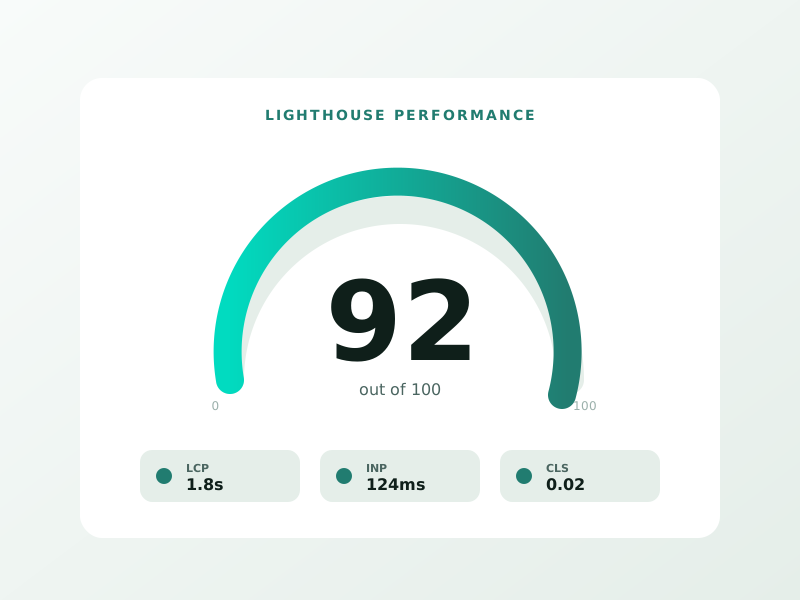
First impressions are everything. If your website takes too long to load, users won’t stick around to see what you offer. In fact, studies show that 53% of mobile users abandon a site that takes more than 3 seconds to load.
Why It Happens:
- Heavy images or videos not optimized for web
- Poor web hosting or server issues
- Too many plugins or scripts
- Uncompressed code or large CSS/JavaScript files
How to Fix It:
- Optimize images using compression tools like TinyPNG or WebP format
- Use a content delivery network (CDN)
- Minimize and combine CSS and JavaScript files
- Choose a reliable web hosting provider
- Enable browser caching and GZIP compression
Speed isn’t just important for user experience, it also affects your SEO rankings. A fast website keeps users engaged and improves your visibility on search engines.
2. Poor Mobile Responsiveness
With over 60% of internet traffic now coming from mobile devices, a website that doesn’t adapt to different screen sizes will quickly lose visitors. If your site looks broken or is difficult to navigate on a smartphone or tablet, users will abandon it in frustration.
Why It Happens:
- Fixed-width layouts that don’t adjust to smaller screens
- Content or buttons that are too small or too close together
- Pop-ups that cover the content and are hard to close
How to Fix It:
- Use responsive design frameworks like Bootstrap or CSS Flexbox/Grid
- Test your site on multiple devices and screen sizes
- Make buttons large enough for easy tapping
- Ensure all text is readable without zooming
A mobile-friendly website isn’t just a nice-to-have, it’s an absolute necessity in 2025.
3. Confusing Navigation
If users can’t figure out where to go on your website, they’ll leave. Clear, intuitive navigation is key to keeping visitors engaged and guiding them to take desired actions.
Why It Happens:
- Cluttered menus or too many options
- Lack of a search function
- Important pages hidden or hard to find
- Inconsistent or poorly labeled links
How to Fix It:
- Use a simple, organized menu structure with clear labels
- Include a prominent search bar
- Highlight top pages (e.g., Services, About, Contact)
- Use breadcrumb navigation for complex sites
Navigation should make it easy for users to explore your site. If they’re lost or overwhelmed, they’ll exit quickly.
4. Lack of Valuable or Relevant Content
Users visit your website expecting solutions, information, or entertainment. If your content doesn’t deliver value, or worse, feels outdated, they’ll leave and likely won’t return.
Why It Happens:
- Thin content with little useful information
- Irrelevant topics that don’t match user intent
- Poor grammar, formatting, or readability
- Outdated blog posts or news articles
How to Fix It:
- Create content tailored to your target audience’s needs
- Update your blog and pages regularly
- Use visuals, bullet points, and subheadings to improve readability
- Focus on helpful, actionable insights rather than just promotion
Great content not only keeps users on your site longer, it positions your brand as a trusted authority.
5. Annoying Pop-Ups and Auto-Play Media
Nothing disrupts a user’s experience more than being bombarded with pop-ups, auto-play videos, or intrusive ads the moment they land on your site.
Why It Happens:
- Over-aggressive marketing tactics
- Poorly timed pop-ups
- Auto-play videos with sound
- Excessive ads or affiliate banners
How to Fix It:
- Use pop-ups sparingly and time them thoughtfully (e.g., exit intent)
- Avoid auto-play audio or video unless user-initiated
- Ensure pop-ups are easy to close on all devices
- Prioritize user experience over aggressive monetization
Users appreciate respectful marketing. Keep interruptions to a minimum and let your content speak for itself.
Bonus Tip: Lack of Trust Signals
Even if your site looks great and runs smoothly, users might leave if they don’t feel it’s trustworthy. Especially for e-commerce and service-based businesses, building credibility online is essential.
Trust Signals to Include:
- SSL certificate (HTTPS)
- Customer reviews and testimonials
- Clear contact information
- Professional design and branding
- Privacy policies and terms of service
A polished, secure website that communicates transparency builds confidence and reduces bounce rates.
How to Analyze and Improve User Engagement
⚡ 2-minute scorecard · instant result
Is your website quietly costing you leads?
Answer 5 quick questions. Get your score + the top fixes, free.
1. Does your site load in under 3 seconds on mobile?
2. Is there one clear call-to-action above the fold?
3. Is your main lead form 5 fields or fewer?
4. Is the whole site genuinely mobile-friendly?
5. Are trust signals (proof, reviews) near your CTA?
If you’re unsure what’s causing users to leave, start by analyzing data from tools like Google Analytics, Hotjar, or Microsoft Clarity. Look for:
- Bounce rate by page
- Average session duration
- Click maps and scroll depth
- Exit pages
These insights will help identify specific pain points and guide your optimization efforts.
Final Thoughts
Getting traffic to your website is important, but keeping visitors engaged is what drives conversions, sales, and growth. If your audience is leaving too soon, it’s likely due to issues related to speed, design, content, usability, or trust.
By addressing the five key reasons outlined above, you can transform your website into a place users want to explore, connect with, and return to. A great website doesn’t just look good, it works seamlessly, communicates value, and makes the user’s journey easy and enjoyable.
If you’re serious about reducing bounce rates and improving engagement, consider working with a professional website design company. Their expertise can help you spot hidden issues, implement strategic fixes, and craft a digital experience your audience will love.
Because in the end, it’s not just about getting visitors to your site, it’s about giving them a reason to stay.
Ready to turn this into real bookings?
Free 30-min audit. We review your current setup and give you 3 specific wins — whether we work together or not. Starts at 0/month. No contract. One medspa per market.
Book My Free Audit →No credit card. No pitch. No 12-month lock-in.



