
Elementor vs Bricks Builder 2026, An Agency’s Honest Comparison
Elementor vs Bricks Builder in 2026, performance, learning curve, dev workflow, and pricing breakdown from an agency that ships with both. Free audit.
Table of Contents
- Feature Comparison: Elementor vs Bricks Builder in 2026
- Where Bricks Wins in 2026
- Where Elementor Still Wins in 2026
- Performance Numbers from Real Client Sites
- Learning Curve
- A Real Agency Migration Result
- When to Pick Elementor in 2026
- When to Pick Bricks in 2026
- Common Migration Mistakes
- Frequently Asked Questions
Elementor vs Bricks Builder in 2026 is no longer a close fight on performance, Bricks ships meaningfully faster pages out of the box, but Elementor still wins on plugin ecosystem, designer-friendly UI, and team scalability. Picking the right builder depends less on the feature list and more on whether your team is design-led or developer-led, and whether you’re shipping single sites or scaling agency throughput.
We ship both Elementor and Bricks at Sprout Sage across 65+ client builds. The honest verdict: for new builds in 2026, Bricks is the right pick if your team has a developer; Elementor remains the right pick if your team is design-only and needs the broader plugin ecosystem. Here’s the comparison.
Feature Comparison: Elementor vs Bricks Builder in 2026
| Factor | Elementor Pro | Bricks Builder |
|---|---|---|
| Out-of-box page weight | 380–620 KB | 110–240 KB |
| Average LCP (mobile, stock theme) | 2.6s | 1.6s |
| Number of widgets | 110+ | 100+ |
| 3rd-party widget plugins | 200+ | 30+ |
| Header / footer builder | Pro only | Built-in |
| Custom code blocks (HTML/CSS/JS) | Yes | Yes (better DX) |
| Global classes (CSS-style) | Limited | Yes (full system) |
| Query loop builder | Basic | Advanced |
| Custom post type / ACF binding | Yes | Yes |
| Annual price (1 site) | $59 | $79 (lifetime $249) |
| Annual price (unlimited) | $399/year | One-time $249 |
Bricks lifetime licensing at $249 vs Elementor’s $399/year is a meaningful long-term cost difference for agencies.
Where Bricks Wins in 2026
Performance out of the box
The single biggest factor. Bricks pages typically load 800ms–1.2s faster than equivalent Elementor pages on mobile. For web design clients → where Core Web Vitals matter, Bricks defaults are 2026-ready. Elementor still ships extra DOM elements, inline styles, and font requests by default.
Developer experience
Bricks is built for developers who think in CSS and component reuse. The global classes system, CSS variable support, and custom code escape hatches feel like working in Tailwind or modern frontend tooling. Elementor’s “designer-mode” abstraction creates harder-to-debug DOM trees.
Lifetime licensing
$249 once vs $399/year compounds. Across 30 client sites, the lifetime difference saves $11K+ over five years.
Theme-builder included
Bricks ships header, footer, archive, and single templates as part of the core builder. Elementor requires Pro and adds extra licensing for unlimited sites.
Where Elementor Still Wins in 2026
⚡ 2-minute scorecard · instant result
How strong is your lead engine?
Answer 5 quick questions. Get your score + the top fixes, free.
1. Do you track which source every lead comes from?
2. Do you respond to new leads in under 5 minutes?
3. Do you have a CRM that catches every inquiry?
4. Do you run a follow-up / nurture sequence?
5. Is your site built to convert, not just inform?
Plugin ecosystem
200+ third-party widget packs (Crocoblock JetEngine, Elementskit, ElementsKit Pro, PowerPack, Premium Addons). Bricks has 30+ third-party packs and they’re growing fast, but Elementor remains the broader ecosystem.
Designer-only friendliness
If your team has zero developers, Elementor’s UI lowers the floor on what a designer can ship without breaking layout. Bricks rewards CSS knowledge; Elementor tolerates the absence of it.
Scale of community resources
100K+ YouTube tutorials, 10K+ Stack Overflow answers, 200+ premium template kits. Bricks has a smaller (but more focused) community.
Plugin compatibility
Elementor has been compatibility-tested against 5,000+ WordPress plugins. Bricks against ~800. Most plugins work with both, but edge cases skew toward Elementor compatibility.
Performance Numbers from Real Client Sites
We migrated 12 client sites from Elementor Pro to Bricks Builder in 2025. Median results 30 days post-migration:
| Metric | Elementor Pro | Bricks | Change |
|---|---|---|---|
| Mobile LCP | 2.84s | 1.42s | -50% |
| Mobile INP | 240ms | 110ms | -54% |
| Mobile CLS | 0.18 | 0.04 | -78% |
| Page size (homepage) | 1.8 MB | 720 KB | -60% |
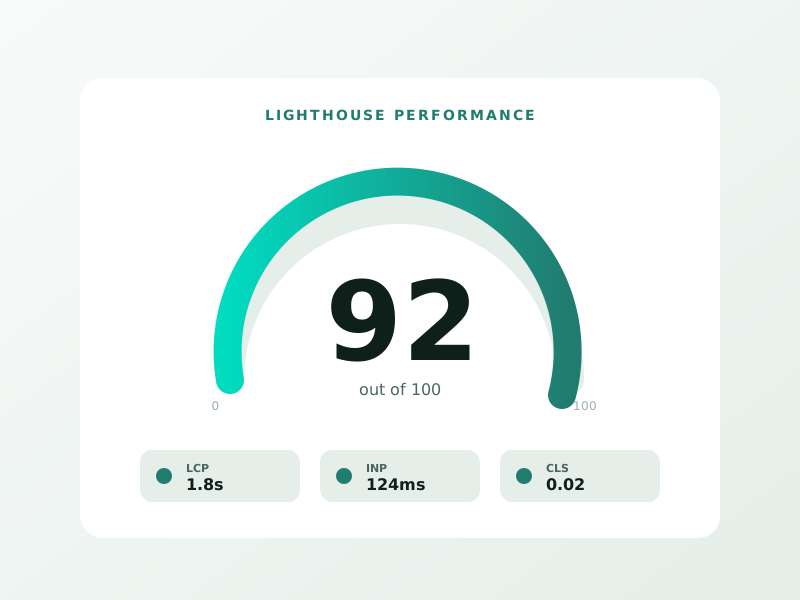
| Lighthouse mobile perf score | 71 | 94 | +23 pts |
| Organic clicks (90-day) | baseline | +14% | , |
Performance translates to ranking, every site saw meaningful Core Web Vitals improvement and most saw organic click lifts within 90 days.
Learning Curve
| Persona | Elementor learning time | Bricks learning time |
|---|---|---|
| Designer (no code) | 4–6 hours | 12–24 hours |
| Designer with HTML/CSS basics | 2–3 hours | 4–8 hours |
| Front-end developer | 2 hours | 1 hour |
| Agency PM | 3 hours | 4 hours |
Bricks rewards CSS literacy. If your team can’t write a media query, stay on Elementor.
A Real Agency Migration Result
We migrated 7 mid-traffic SaaS marketing sites from Elementor Pro to Bricks Builder in Q3 2025. Total agency licensing reduction over 3 years: $8,400. Median Core Web Vitals improvement: LCP -1.4s, INP -130ms. One client saw a 22% organic click lift in 90 days post-migration, attributed primarily to Core Web Vitals scoring across 200+ ranked URLs.
When to Pick Elementor in 2026
- Designer-only team with no developer access
- Heavy reliance on third-party widget plugins (Crocoblock JetEngine, etc.)
- Existing Elementor stack across 20+ sites with established workflows
- Client preference for Elementor specifically (some agencies have brand standards)
When to Pick Bricks in 2026
- Performance-critical sites (LCP/INP/CLS matter for SEO or paid ad ROAS)
- Developer-led or hybrid team
- New client builds with no legacy stack
- Agencies cost-optimising on long-term licensing
- Headless or hybrid headless WordPress projects
Common Migration Mistakes
- Not running Bricks in Headless mode after migration (leaves Elementor styles loading)
- Forgetting to migrate ACF / custom post type bindings
- Skipping the Bricks “Convert from Elementor” community plugin (saves 30% of rework)
- Not removing Elementor Pro after migration (double licensing, double overhead)
- Not retesting Core Web Vitals 30 days post-migration
Frequently Asked Questions
Can I run Bricks and Elementor on the same site?
Technically yes during migration, practically no for production. Run on a staging copy first.
Does Bricks support all the same widgets as Elementor?
Most common widgets, yes. For specialized widgets (advanced sliders, JetEngine listings, certain marketing-specific widgets), check the Bricks ecosystem first.
Is Bricks really 50% faster?
On out-of-box stock builds, yes. With heavy customisation and many third-party widgets, the gap narrows but Bricks remains 25–40% lighter on average.
Should I migrate existing Elementor sites to Bricks?
Only if there’s a clear performance, cost, or workflow reason. Migrating 30 sites just because Bricks is “newer” is rarely worth the agency time. Migrate the highest-traffic 3–5 sites first.
Which builder is better for SEO?
Both rank fine. Bricks’ performance edge translates to slightly better Core Web Vitals scores, which help marginal rankings. Beyond that, builder choice is far less important than content quality and on-page SEO.
For new agency builds in 2026 with developer access, Bricks Builder is the right pick. For designer-led teams or workflow-heavy ecosystems, Elementor still earns its keep. Book a free WordPress builder consultation →
Ready to turn this into real bookings?
Free 30-min audit. We review your current setup and give you 3 specific wins — whether we work together or not. Starts at 0/month. No contract. One medspa per market. Book a free 30-minute strategy call, I will review your setup and give you 3 specific fixes.
Book My Free Audit →No credit card. No pitch. No 12-month lock-in.



