

User Experience & Design: What is User Experience (UX) Design?
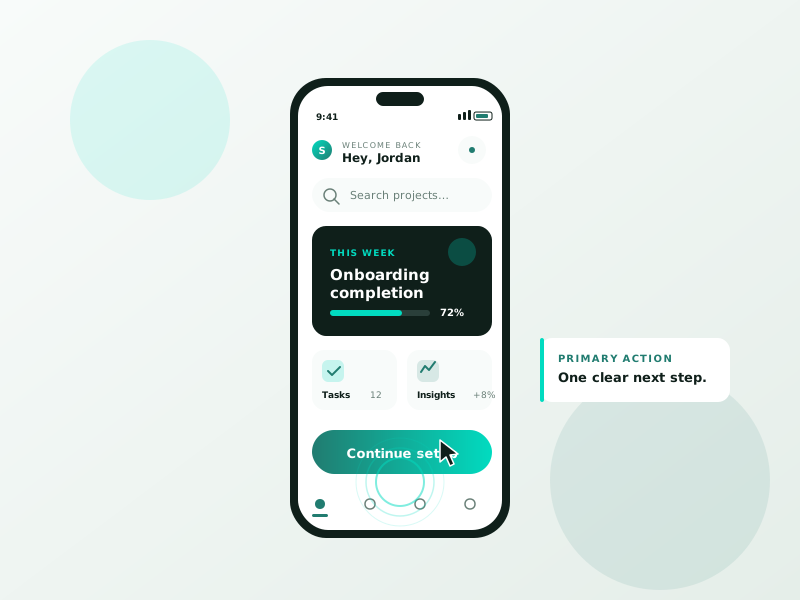
Discover what User Experience (UX) Design is and why it's essential for creating intuitive, user-friendly digital products that drive engagement and customer satisfaction.
Table of Contents
In the digital age, where competition is only a click away, delivering a smooth and meaningful interaction with your website, app, or product is no longer optional, it’s essential. This is where User Experience (UX) Design comes into play. But what exactly is UX design, and why has it become a critical component of web development and digital product strategy?
In this blog, we’ll explore what UX design is, why it matters, the key principles that drive it, and how businesses can leverage UX design to improve customer satisfaction, retention, and overall success.
What is User Experience (UX) Design?
User Experience Design (UX Design) refers to the process of enhancing a user’s satisfaction with a product by improving its usability, accessibility, and overall interaction. In simpler terms, it’s about creating products, especially digital ones like websites and apps, that provide meaningful, intuitive, and engaging experiences for users.
The goal of UX design is to put the user at the center of the design process. It considers every step a user takes while interacting with a product, from discovering it to navigating, understanding, using, and coming back to it.
UX design is not just about aesthetics. While visuals play a role, UX focuses on how things work, feel, and respond to user needs.
UX vs. UI: What’s the Difference?
Many people confuse UX (User Experience) with UI (User Interface), but they’re not the same thing.
- UX Design is about the overall experience a user has with a product. It involves research, information architecture, wireframing, prototyping, testing, and user feedback.
- UI Design, on the other hand, is about the look and feel of the product, colors, buttons, typography, layout, and design elements users interact with.
Think of UX as the journey and UI as the vehicle you use to take that journey. Both are closely connected, but UX is the foundation.
Why is UX Design Important?
⚡ 2-minute scorecard · instant result
Is your website quietly costing you leads?
Answer 5 quick questions. Get your score + the top fixes, free.
1. Does your site load in under 3 seconds on mobile?
2. Is there one clear call-to-action above the fold?
3. Is your main lead form 5 fields or fewer?
4. Is the whole site genuinely mobile-friendly?
5. Are trust signals (proof, reviews) near your CTA?
An intuitive and pleasant user experience can make the difference between a product that succeeds and one that fails. Here’s why UX design is crucial:
1. Improves Customer Satisfaction
A well-designed UX keeps users engaged, satisfied, and happy. It removes friction, helps users complete tasks easily, and delivers value efficiently.
2. Boosts Conversions
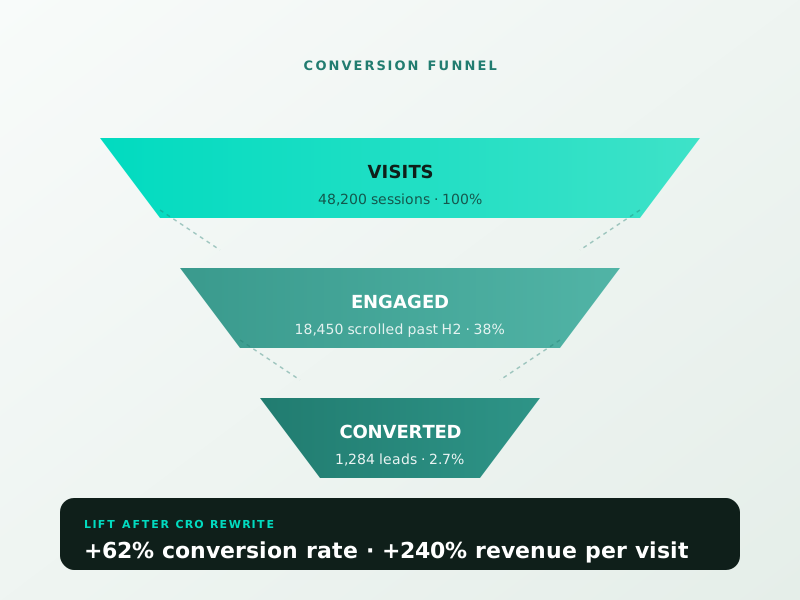
Whether you want users to sign up, make a purchase, or fill out a form, UX design makes these actions more accessible and attractive, increasing conversion rates.
3. Reduces Development Costs
Investing in UX from the beginning reduces costly revisions down the line. A clear structure and user-tested flow avoid confusion and unnecessary features.
4. Encourages Customer Loyalty
Great UX builds trust and keeps users coming back. A seamless, enjoyable experience turns first-time visitors into loyal users or customers.
5. Enhances SEO
Search engines like Google consider user signals, like time on site, bounce rate, and mobile usability, when ranking pages. Good UX design supports better SEO performance.
Key Principles of UX Design
To deliver an effective user experience, UX designers rely on certain core principles:
1. User-Centric Design
Design starts with the user. Who are they? What are their goals? How do they interact with your product? Answering these questions ensures the final design meets real user needs.
2. Clarity & Simplicity
Users should be able to navigate your site or app without confusion. Simplicity in design helps avoid cognitive overload and makes for an intuitive interface.
3. Consistency
Maintaining consistent design patterns, buttons, colors, and layout throughout the platform builds familiarity and makes interactions predictable and pleasant.
4. Feedback
Whether it’s a loading animation, an error message, or a confirmation pop-up, users should receive real-time feedback for their actions.
5. Accessibility
Designs should be inclusive and usable by people of all abilities. This includes screen reader support, keyboard navigation, and color contrast for those with vision impairments.
The UX Design Process
UX design isn’t a one-time task, it’s an ongoing process that involves several stages:
1. Research
Understand your users through:
- User interviews
- Surveys
- Analytics review
- Competitive analysis
This stage lays the groundwork for an informed and effective design.
2. Define
Clarify your users’ pain points, goals, and expectations. Create personas and user journey maps to define the user flow and experience goals.
3. Ideate
Brainstorm possible solutions to address user needs. Sketch user flows and explore different approaches to create intuitive interactions.
4. Wireframing
Create low-fidelity wireframes that outline structure and layout. Wireframes act as blueprints for your product and show how content and functionality will be arranged.
5. Prototyping
Develop interactive prototypes that simulate user interactions. Prototypes allow you to test how a user might navigate your product before actual development.
6. Testing
Conduct usability testing to gather feedback and identify areas for improvement. Testing may include A/B testing, session recording, or direct observation.
7. Iterate
Refine your design based on test results. UX design is never static, it evolves with user behavior, technology changes, and business goals.
Common UX Design Tools
Modern UX designers use a variety of tools to research, design, prototype, and test:
- Figma / Sketch / Adobe XD – For wireframing and UI design
- InVision / Marvel – For prototyping
- Hotjar / Crazy Egg – For heatmaps and user behavior tracking
- Google Analytics – For user data and traffic analysis
- Optimal Workshop / UsabilityHub – For usability testing and surveys
UX in Web Design: Real-World Applications
Let’s look at how UX plays a role in common web design scenarios:
E-commerce Websites
UX focuses on simplifying the buying process: easy navigation, quick checkout, clear product info, trust signals, and mobile optimization.
Mobile Apps
Small screens require smart navigation. UX ensures gestures, spacing, and readability are optimized for mobile users.
Content Websites or Blogs
A great UX makes content easy to find, read, and share. Readability, proper formatting, and internal linking are key.
Business & Corporate Sites
Clear CTAs, intuitive menus, and a logical site structure help convert visitors into leads or customers.
Conclusion
User Experience (UX) Design is more than just a buzzword, it’s the foundation of any successful digital product. By focusing on user needs, reducing friction, and making digital experiences seamless and enjoyable, UX design helps businesses build stronger relationships with their customers.
Whether you’re building a new website, designing an app, or improving an existing platform, investing in UI/UX design services pays off in the form of better engagement, increased conversions, and long-term loyalty.
Remember, technology changes, but user expectations only grow. Great UX is no longer optional; it’s essential.
Ready to turn this into real bookings?
Free 30-min audit. We review your current setup and give you 3 specific wins — whether we work together or not. Starts at 0/month. No contract. One medspa per market.
Book My Free Audit →No credit card. No pitch. No 12-month lock-in.



